A useful video translation does more than replace spoken words. It carries meaning, tone, and timing across languages. Translation theorist George Steiner once wrote, “Without translation, we would be living in provinces bordering on silence.” His point matters on screen, where a mistranslated joke or clipped subtitle can change the whole scene.
This guide compares seven tools that help translate video to English, from AI-powered platforms to services with human review. It looks at practical details: subtitle accuracy, speaker identification, editing controls, export options, and support for different accents. Imagine checking whether a tool can handle a fast interview, preserve a speaker’s name, and fit a subtitle into two readable lines. Those small tests reveal more than a polished demo. No tool is perfect. Even fluent-sounding output can miss context, so review remains important, especially for technical terms or subtle humor. The right choice depends on your footage, budget, and quality needs. Here are seven options worth evaluating.
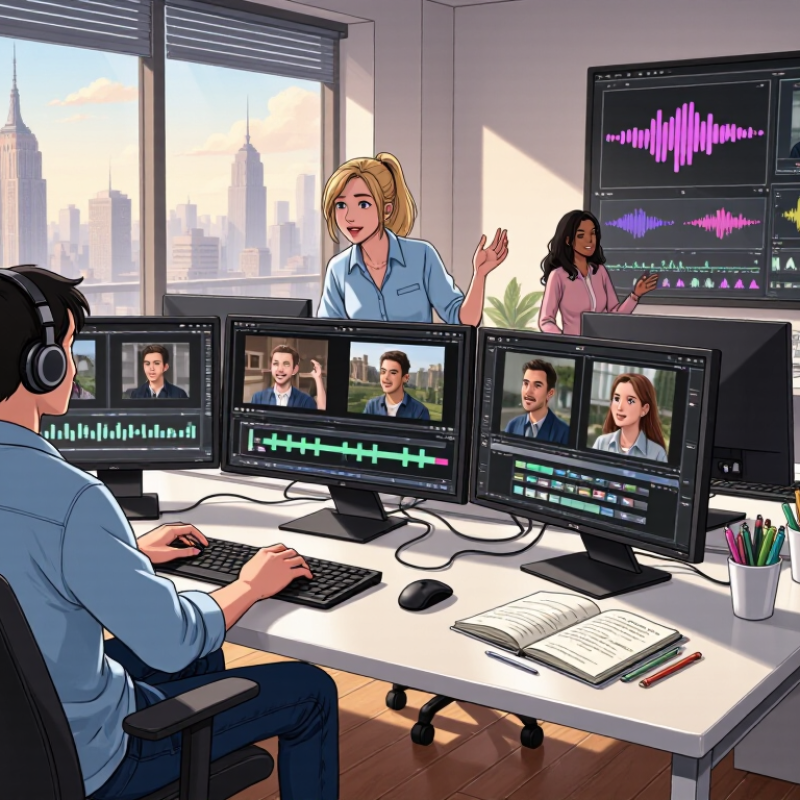
Translating a video into English involves more than replacing spoken words. Subtitles translate dialogue into readable lines that appear in sync with the speaker. They need to fit the screen and move at a comfortable reading pace. A joke, name, or short phrase may need careful adaptation rather than a literal translation. Small details matter.
Captions serve a related but different purpose. They can include sound cues such as [door slams], music, or a change in speaker, helping viewers follow more than the dialogue alone. Dubbing replaces or overlays the original speech with English voice performances. Good dubbing considers timing, tone, and how the translated words fit the speaker’s mouth movements. It can feel more natural, but viewers may lose some of the original vocal character.
A practical review checks all three formats against the actual video, not just a transcript. Listen for missed words, check subtitle timing on a phone-sized screen, and confirm that captions identify meaningful sounds. For dubbing, compare emotion as well as wording. No workflow is flawless; automated transcripts can confuse names or accents, and human edits can still miss context. A final review by someone familiar with both languages helps catch those quiet errors.
| Tool type | Main function | Typical output | Best suited for | Important consideration |
|---|---|---|---|---|
| 1. Automatic speech recognition (ASR) | Detects spoken words and converts speech into text. | A transcript, often with timestamps. | Creating a source transcript before translating a video into English. | Accuracy can drop with background noise, overlapping speakers, accents, or specialized vocabulary. |
| 2. Machine translation | Translates a transcript or subtitle text into English. | English text that can be used in subtitles or captions. | Draft translations, high-volume content, and straightforward language. | Idioms, humor, cultural references, and context may need human review. |
| 3. Subtitle editor | Creates and adjusts subtitle text, timing, line breaks, and placement. | A subtitle file or subtitles embedded in the video. | Making translated dialogue readable and synchronized with speech. | Subtitle length and reading speed may require concise wording and careful timing. |
| 4. Captioning tool | Produces timed text for dialogue and, when required, meaningful non-speech audio. | Closed captions or open captions; translated captions can be created from a transcript. | Accessible viewing, including situations where viewers cannot hear the audio. | Captions commonly include relevant sound cues; subtitle conventions may focus mainly on spoken dialogue. |
| 5. AI video-translation workflow | Combines transcription, translation, subtitle timing, and sometimes voice generation in one workflow. | English subtitles, translated captions, or a dubbed audio track, depending on features. | Teams that want several translation steps in a single process. | Feature sets vary; review language support, export formats, privacy, and editing controls. |
| 6. Text-to-speech and dubbing tool | Generates spoken English audio from translated text. | An English voice track that can replace or accompany the original audio. | Videos where viewers benefit from hearing English rather than reading subtitles. | Natural pacing, pronunciation, speaker changes, and synchronization may need adjustment. |
| 7. Human review and localization workflow | Checks translation, terminology, timing, cultural context, and final playback. | Reviewed English subtitles, captions, or dubbed audio. | Public-facing, technical, educational, or otherwise high-importance video. | Human review adds time and cost but can catch errors automated steps miss. |
A useful comparison of seven video-to-English tools starts with one shared test clip, not polished demos. Use a 60-second sample with two speakers, background noise, and several proper nouns. Record translation accuracy, processing time, supported languages, and total cost. Keep the same clip and settings for every tool. A clean score can still mislead.
Accuracy means more than fluent subtitles. Check names, numbers, idioms, speaker changes, and whether each caption fits the screen. CSA Research’s 2020 survey of 8,709 consumers across 29 countries found that 76% prefer product information in their own language. It also found that 40% are less likely to buy when information is only in another language. This is not a test of translation tools, but it shows why readable, faithful subtitles matter.
Compare speed from upload to export, including editing time. For language support, check specific language pairs, regional accents, and speech-to-text quality; a long language list proves little. Compare pricing per video minute, then check for charges tied to transcription, exports, or revisions. Stanford’s AI Index 2025 reported a 280-fold drop in the cost of querying a model at GPT-3.5-level performance between November 2022 and October 2024. That reflects model inference, not full translation-service pricing. No test is perfect. A short sample may hide errors that appear in a full-length video.
Compare seven options by accuracy, speed, language support, and cost.
How to read this chart: Scores are illustrative 0–100 comparison-planning values, not verified product test results. Higher scores indicate stronger performance; the cost score represents affordability, so a higher score means lower relative cost. Actual results depend on the video, language pair, plan, and evaluation method. Test the same clips and check current pricing before choosing a tool.
Translating video to English works best as a connected three-stage process. Speech recognition turns spoken audio into text, with timestamps that help keep subtitles aligned. Machine translation then carries the meaning into English. Voice synthesis can read that translation aloud, matching the pace and pauses of the original speaker. Small errors can travel through every stage. A missed name in the transcript may become a strange subtitle and an awkward spoken phrase.
The stakes are practical. CSA Research’s 2020 survey of 8,709 consumers across 29 countries found that 76% preferred product information in their own language. That survey was not limited to video, but it shows why accessible language matters. Automatic systems still struggle with accents, overlapping voices, jokes, and specialist terms. Even a fluent-sounding voice can hide a translation that has lost the speaker’s intent. Human review helps, though it takes time.
Tips: Check the transcript before translating, especially names, numbers, and short phrases. Listen to the final voiceover while watching the video; timing can feel off even when the words look right. Keep the original audio nearby for comparison. One imperfect detail is easy to miss. A whole sentence can drift.
A video is not localized just because its words are translated into English. Viewers also need clear subtitles, readable on-screen text, and timing that matches the speaker. A caption that appears too late can make a simple explanation feel confusing. Good localization considers the whole viewing experience, not just the transcript.
CSA Research’s 2020 Can’t Read, Won’t Buy study surveyed 8,709 consumers across 29 countries. It found that 76% prefer product information in their own language, while 40% would not buy from websites in other languages. These figures concern purchasing, not video viewing, so they are not direct proof that translated videos increase engagement. They do show how strongly language can shape comfort and trust. That distinction matters.
When evaluating seven video-to-English tools, check subtitle timing, speaker labeling, accent recognition, and whether transcripts are easy to edit. Then have a fluent reviewer check names, idioms, and technical terms. Small details matter. I still miss things. Automated speech recognition can turn a clear phrase into convincing nonsense, especially with background noise or overlapping voices. A tool should make correction easier, not encourage blind trust in its first draft.
When translating video into English, readable subtitles matter as much as accurate wording. A useful check is characters per second, or CPS: divide the subtitle’s character count by how long it stays onscreen. A common target is no more than 20 CPS. Count spaces and punctuation too, since viewers must read those marks as well. The number is a guide, not a guarantee.
For example, a 60-character line shown for three seconds runs at 20 CPS. A subtitle tool with a CPS display can flag crowded lines, but review each warning in context. Split a long thought across two cues when the speaker pauses naturally. Shorten repeated phrases without changing the meaning. Keep names and key details intact. That can sting. Some lines resist trimming.
Then watch the video at normal speed, not just in the editing window. Check whether your eyes can finish reading before the next cue appears. Look for fast cuts, small text, and subtitles placed over bright or busy backgrounds. A line may meet the CPS target and still feel rushed. I’ve found that a quiet scene can hide this problem until dialogue speeds up. Readability depends on timing, wording, and the actual screen, so adjust and test again.