How to Translate Sound From Video 7 Easy Tips?

Video is no longer consumed through images alone. Viewers follow dialogue, music, warnings, laughter, and background sounds. When creators translate sound from video, they must preserve meaning, timing, tone, and emotional detail.

The demand is substantial. Wyzowl’s Video Marketing Statistics 2024 report found that 91% of businesses use video as a marketing tool. CSA Research also reported that 65% of consumers prefer content in their own language, while 40% will not buy in another language. These figures support accessible, localized video workflows, but they do not guarantee quality. A translated sentence can be accurate and still feel strangely timed.

Audiovisual translation scholar Jorge Díaz Cintas describes subtitling as “a translation practice that consists of presenting a written text,” usually within visual and temporal limits, in Audiovisual Translation: Subtitling. His definition highlights a practical truth: translation must work with the screen, not against it. Audio description, captions, dubbing, and voice-over each require different decisions. They also require listening beyond the spoken words.

This guide, “How to Translate Sound From Video: 7 Easy Tips,” focuses on usable methods. You will learn how to extract audio, create a reliable transcript, identify speakers, translate culturally sensitive phrases, and synchronize the final output. Small details matter. A door slam may signal danger. A pause may change a joke. Automatic tools save time, but they still mishear accents, overlapping voices, and quiet speech. Human review remains essential. Some steps may feel obvious. They are still easy to skip.
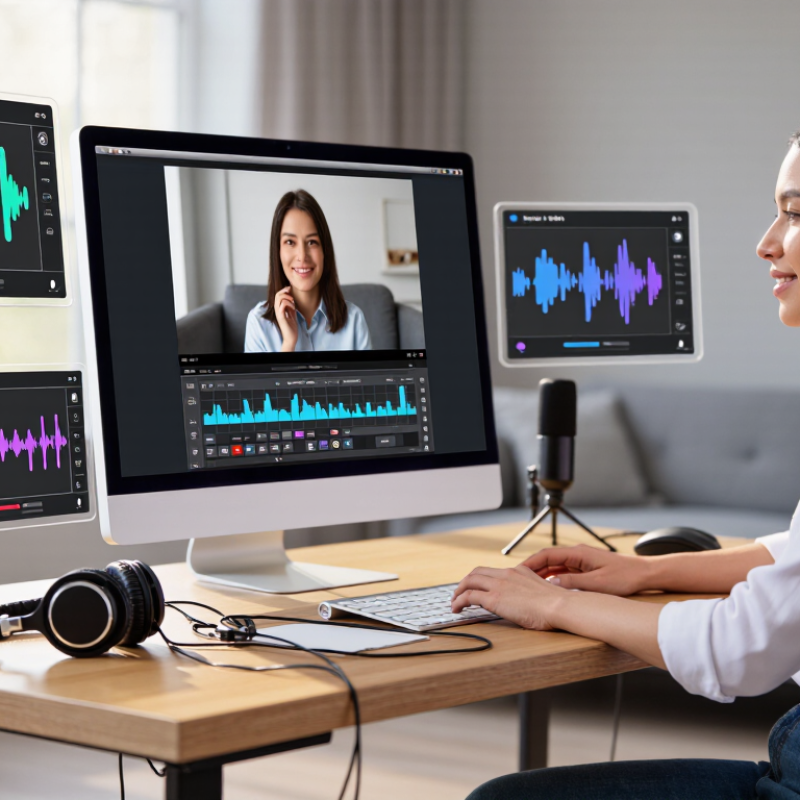
How to Translate Sound From Video 7 Easy Tips?

Define the Audio Translation Goal and Choose the Right Video Source

Translating sound from video starts with a clear audio translation goal. Decide what viewers must understand: spoken dialogue, narration, background announcements, or emotional tone. Keep it specific. A training video may need accurate terminology, while a short interview may require natural, conversational language. I usually write the goal in one sentence before selecting any tools or workflows.

The source video also matters. Choose the clearest available file, with balanced volume and minimal background noise. Check whether speakers overlap, music covers important words, or several languages appear together. A low-resolution video can still work, but unclear audio creates avoidable errors. Test the result. Listen with headphones and ordinary speakers, because words may sound different on each device.

I once focused too heavily on transcribing every word and missed the speaker’s hesitation and emphasis. That choice made the translation accurate but less useful. Now, I mark unclear phrases, speaker changes, pauses, and culturally specific expressions before translating. A human review remains valuable, especially for technical subjects or sensitive conversations. It is not always perfect. Still, documenting uncertain sections makes later corrections faster and helps readers trust the final version.


Extract Clear Sound From the Video Without Losing Important Details

How to Translate Sound From Video: 7 Easy Tips

Clear audio is the foundation of accurate video translation. I begin by saving the original file and creating a separate working copy. This protects the source if an editing mistake occurs. I then listen through headphones and note background noise, overlapping voices, music, and sudden volume changes. Small details matter. A cough, pause, or whispered word can change the speaker’s meaning.

I extract the audio and improve speech clarity with moderate noise reduction. Heavy filtering can remove consonants and create unnatural gaps. I adjust volume gradually, rather than forcing every sound to the same level. Short speech segments are easier to transcribe accurately. I also keep timestamps beside each sentence, so translated captions match the speaker’s timing. When two people speak together, I mark uncertain words instead of inventing them. That habit supports reliable translation.

I compare the transcript with the cleaned audio at least twice. Accents, fast speech, and poor recording quality still cause problems. I sometimes miss a quiet ending, especially when music covers it. That is a useful warning, not a reason to guess. I replay difficult sections slowly, check the surrounding context, and preserve unclear sounds for human review. A natural translation should respect tone, pauses, names, and emotional changes, not just replace words mechanically.

How to Translate Sound From Video: Preserve the Speech Detail

Speech occupies a broad part of the audible spectrum. When extracting or translating audio, reducing low-frequency rumble while protecting the speech body, clarity, and sibilance helps keep words understandable.

Transcribe the Original Speech Before Translating the Meaning

How to Translate Sound From Video: 7 Easy Tips

Translating video sound starts with accurate transcription, not quick subtitles. I have found that noisy audio can change a speaker’s meaning within seconds. Listen to the original speech several times. Mark every unclear word, pause, laugh, and interruption. Keep the timestamps. Identify each speaker when voices overlap. Start with the ears. A transcript should preserve natural phrasing, not just isolated words. Write down names, numbers, technical terms, and local expressions exactly as heard. If a phrase remains uncertain, flag it instead of guessing.

Read the transcript while watching the speaker’s face and gestures. A raised eyebrow may signal doubt, while a long pause can soften criticism. Separate background sounds from spoken content, especially in interviews or outdoor recordings. Then translate the verified meaning into clear, natural language. Do not translate every word mechanically. A direct phrase may sound rude, confusing, or strangely formal in another language. Check cultural references and measurements carefully. Ask a qualified native-language reviewer to examine difficult sections. Two sets of ears help.

My own drafts sometimes become too polished. That can remove the speaker’s personality. I now compare the translation with the original rhythm and emotional tone. Short sentences often work better on screen. Read the final version aloud. Does it fit the speaker’s timing? Maybe not perfectly. Recheck it anyway. A missing hesitation or incorrect number can mislead viewers more than a visible spelling mistake.

Translate the Transcript While Preserving Tone, Context, and Timing

How to Translate Sound From Video: 7 Easy Tips

Translating sound from video means preserving meaning, personality, and timing. The transcript should not sound like a dictionary. CSA Research’s 2020 “Can’t Read, Won’t Buy” study found that 76% of consumers prefer information in their own language. It also reported that 40% refuse to buy from websites written in unfamiliar languages. Begin with a careful transcript. Mark speakers, pauses, laughter, background noise, and uncertain words.

Read every translated line beside the video. A quiet sentence may feel threatening under a close camera shot. A joke may need a different image, not a literal translation. Keep names, gestures, and cultural references connected to the scene. Shorten crowded captions when necessary. Professional subtitle guidance often targets roughly 160–180 words per minute for comfortable reading. Timing exposes everything. A late subtitle can ruin a sincere expression.

Seven practical checks help: transcribe accurately, identify the audience, preserve emotional tone, protect context, match subtitle timing, review cultural meaning, and test the final video aloud. I often find one awkward line after several reviews. That is normal, but it deserves attention. Automated transcripts can miss soft speech, accents, or overlapping voices. Human review remains important, especially when a pause changes the speaker’s intention. A translation may be grammatically correct and still feel wrong. That uncomfortable gap is where the real editing begins.

Add, Sync, and Review the Translated Audio in the Final Video

Translating sound from video requires more than replacing spoken words. The translated audio must fit the original timing, emotion, and scene changes. A 2020 global language-access report found that 76% of online consumers prefer product information in their own language. That preference also affects video engagement.

Add the translated voice track after checking the script against the final picture. Use clear file names, consistent sample rates, and separate tracks for dialogue, music, and effects. Keep breaths where they sound natural. Short pauses often carry meaning. A 2024 video marketing survey reported that 91% of businesses use video as a marketing tool, increasing the need for dependable localization workflows.

Sync the recording by matching speech to visible actions, not only subtitles. A door should not close before its sound arrives. Review every cut with headphones, then check speakers at a low volume. Listen for clipped words, unnatural pauses, and music covering consonants. Captions can reveal timing errors that the ear misses. I sometimes approve a take too quickly. That is a mistake. A second review, preferably by a native-speaking editor, catches tone problems and cultural awkwardness. The final export should be checked again after compression, because audio shifts can appear during rendering.

How to Translate Sound From Video 7 Easy Tips? - Add, Sync, and Review the Translated Audio in the Final Video

Step Translation Task Recommended Action Useful Setting or Data Point Final Review Check
1 Prepare the source video Identify spoken dialogue, narration, music, sound effects, pauses, and scene changes before translating. Create a time-coded script using start and end timestamps in minutes and seconds. Every audible speech segment has a matching text segment and timestamp.
2 Translate for spoken delivery Use natural sentence structure in the target language instead of translating every word literally. Check sentence length against the original speaking window; shorten wording when the translated speech runs long. The translated script preserves meaning, tone, names, numbers, and technical terms.
3 Record or generate the translated audio Produce one clean audio clip for each translated segment, using consistent pronunciation and volume. Use a lossless working format such as WAV when possible; keep the same sample rate across the project. Listen for clipping, background noise, unnatural pauses, mispronunciation, and inconsistent loudness.
4 Clean and edit the audio Remove unwanted silence and noise while retaining natural breaths and pauses where they support the performance. Use short, smooth fades at clip boundaries to reduce clicks and abrupt starts or stops. No audible clicks, cut-off consonants, excessive silence, or sudden changes in background noise.
5 Sync audio with the video Place each translated clip on the timeline using the original dialogue timestamps and visible scene cues. Align key words with the speaker’s mouth movement when dubbing; use scene cuts and gestures as additional timing references. Speech begins and ends naturally without noticeable gaps, overlaps, or dialogue drifting out of sync.
6 Balance the complete soundtrack Adjust translated voice, music, effects, and ambient sound so the dialogue remains clear without overpowering the original mix. Use separate tracks for voice, music, effects, and ambience to make level adjustments easier. Check the mix on headphones and speakers at a comfortable listening level.
7 Export and review the final video Render a review copy, watch the entire video, and correct translation, timing, pronunciation, and audio-level problems. Review the exported file rather than relying only on the editing timeline; verify the final duration and audio tracks. Confirm that the video opens correctly, the translated audio is present throughout, and no sections are missing or muted.

Practical quality checklist: accurate meaning, natural delivery, clean audio, reliable synchronization, consistent volume, and a complete final export.