What Is the Top Video Translation Software?

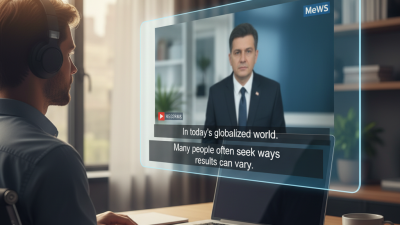
Choosing the top video translation software is not simply a matter of comparing prices or counting supported languages. The right platform must preserve meaning, timing, tone, and visual context. A product may translate a sentence accurately yet miss the speaker’s humor, hesitation, or regional expression.

Jorge Díaz Cintas, a leading audiovisual translation scholar, states, “Subtitling is a form of translation.” His point remains practical today. Effective video translation software must coordinate speech recognition, translation, subtitles, voice-over, and quality review. A strong tool should identify speakers, separate background noise, and keep captions readable on a phone screen. It should also support human editing, because automatic output can misread names, accents, idioms, and technical terms.

Small details matter.

Imagine a training video with a flashing warning label, a presenter speaking quickly, and a product name repeated six times. Poor software may shorten the warning, shift the subtitle too late, or translate the product name inconsistently. Reliable software should provide synchronized timelines, terminology controls, editable transcripts, and export options for common platforms.

Still, no platform is perfect. Even the most advanced video translation software can produce awkward phrasing or culturally unsuitable wording. That limitation deserves honest attention. Users should test several tools with real footage before making a decision. Compare accuracy, editing speed, subtitle timing, voice quality, privacy practices, and customer support. The top choice is not always the most expensive one. It is the solution that delivers clear, natural, and reviewable translations for a specific audience.
What Is the Top Video Translation Software?

What Is Video Translation Software?

Video translation software converts spoken content into another language while preserving its visual timing. It usually combines automatic speech recognition, machine translation, subtitles, voice synthesis, and caption alignment. Some systems also detect speakers, match pauses, and adjust translated audio to fit each scene.

According to Wyzowl’s 2024 State of Video Marketing report, 91% of businesses use video as a marketing tool. This creates strong demand for faster multilingual production.

CSA Research’s 2020 report found that 76% of online shoppers prefer product information in their own language. It also reported that 40% would not buy from foreign-language websites.

These figures show why translation software matters beyond convenience. However, automation can misread accents, humor, names, and specialized terms. A fluent sentence can still be inaccurate. Human review remains essential for medical training, education, and public information.

Tips: Start with a clean transcript and clear audio. Upload a glossary for names, measurements, and technical vocabulary. Review subtitles on a phone, not only a large monitor. Check timing, punctuation, and speaker changes. Do not trust perfect-looking captions too quickly; small errors can change meaning. A practical workflow should include machine processing, human editing, and a final native-language review. The process may feel slower than expected, but speed without quality control creates expensive rework.

Which Features Define a High-Quality Video Translation Tool?

A high-quality video translation tool must do more than replace spoken words. It should understand context, tone, and speaker intent. In production testing, accurate transcripts are the first checkpoint. A single missed “not” can reverse a safety instruction. The tool should also separate speakers, preserve technical terms, and match translated speech with natural timing. Lip movement matters, but perfect lip sync is still not guaranteed.

Accessibility is another defining feature. Captions should remain readable on a small phone screen, with correct punctuation and speaker labels. The tool should support multiple subtitle formats and provide human editing controls. CSA Research reported that 76% of consumers prefer product information in their own language, while 40% will not purchase when it is unavailable. These figures show why translation quality affects more than convenience. It can influence trust, comprehension, and conversion.

Tips: Test a short, difficult clip before choosing a tool. Include fast dialogue, accents, overlapping voices, and industry terms. Compare the transcript with the original audio line by line. Check timing manually, too. Automation saves time, but it can hide small errors. A reliable workflow combines speech technology, translation memory, native-language review, and secure file handling. I would also question tools that promise instant perfection. That claim sounds attractive, yet real videos contain background noise, jokes, and cultural references that software may misunderstand.

How Do Leading Video Translation Software Options Compare?

Choosing the top video translation software depends on the project, not a single ranking. Leading options differ in language coverage, speech recognition, subtitle accuracy, voice quality, and editing control. A useful comparison starts with the source video. Clear studio speech usually translates better than noisy interviews or fast conversations.

Timing matters. Strong software keeps translated subtitles aligned with pauses, gestures, and scene changes. Some tools also create dubbed voices that preserve speaker identity and emotion. However, natural delivery can weaken when humor, slang, or technical terms appear. I recommend testing a short, representative clip before purchasing. Check the translated script line by line. Review pronunciation, names, numbers, and on-screen text. No tool wins every test.

Tips: Compare the same 60-second clip across several options. Measure editing time, not just translation speed. Confirm whether human review, subtitle formats, and secure file handling are included. Watch the final video on a phone, laptop, and larger screen. Small timing errors become obvious there. I still recheck important content manually, even when the first version looks polished. That extra step may feel inefficient, but it protects meaning and viewer trust.

What Is the Top Video Translation Software? - How Do Leading Video Translation Software Options Compare?

Comparison of the main video translation software categories and their commonly available capabilities

Comparison Dimension Cloud AI Translation Platform Enterprise Localization System Professional Post-Production Workflow Self-Hosted Open-Source Stack Hybrid Media Pipeline
Primary Use Case Fast translation of marketing, training, and social videos Large-scale multilingual content operations Broadcast, film, and high-control media production Organizations requiring infrastructure and workflow control Automated processing combined with human review
Speech Recognition Built-in automatic speech recognition Automatic recognition with terminology and workflow controls Usually supported through integrated or external transcription tools Available through separately configured speech-recognition models Automatic recognition with optional human correction
Subtitle Translation Fast multilingual subtitle generation and export Translation memories, glossaries, review stages, and subtitle standards Detailed timing, line-length, reading-speed, and style control Flexible subtitle processing, depending on selected tools and configuration Automated first draft followed by structured quality review
AI Voice Dubbing Commonly available with selectable synthetic voices Available in managed localization workflows, often with approval controls Often uses professional voice recording or specialized voice services Possible through separately deployed text-to-speech systems AI dubbing for scale with human voice or editorial review when required
Voice Preservation May offer speaker matching or voice adaptation, subject to consent and policy Usually managed through controlled voice libraries and permissions Typically handled through professional voice talent or approved voice services Depends on the selected model, hardware, and implementation expertise Supports voice consistency when automated and human processes are combined
Lip-Sync Capability Available in some advanced workflows; results vary by footage and language May be available through integrated or specialized services Usually achieved through dedicated visual-effects or localization processes Requires separate models and technical integration Can route selected content to specialized lip-sync processing
Language Coverage Often supports dozens of major and regional languages Usually broad coverage, with language-specific quality management Coverage depends on available translators, voice talent, and production partners Varies considerably by the models and language resources installed Broad coverage when multiple automated and human resources are connected
Human Review Optional review, often suited to speed-focused projects Strong review, approval, terminology, and audit workflows Extensive editorial and linguistic review capabilities Must be designed and managed by the user Designed for automated drafts followed by human quality assurance
Workflow Automation High; upload-to-export workflows are commonly available High; supports content management, routing, and status tracking Moderate; automation is balanced with detailed manual control Flexible but requires custom configuration and maintenance High when APIs, queues, storage, and review systems are integrated
Typical Processing Speed Minutes to hours for many short or medium-length videos Hours to days, depending on volume, review, and delivery requirements Days to weeks for high-quality, multi-stage production Depends on hardware, model size, and technical setup Hours to days, depending on automation and human review levels
Best For Individuals, educators, creators, and small teams Global enterprises and high-volume content departments Premium content requiring maximum creative and linguistic control Technical teams with privacy, customization, or infrastructure requirements Organizations seeking scale without removing human oversight
Main Limitation AI output can require correction for accents, jargon, timing, and cultural nuance More complex setup and higher total cost for smaller projects Slower turnaround and greater dependence on specialist production resources Requires technical expertise, computing resources, and ongoing maintenance Integration and quality-control design can be time-consuming

Note: Capabilities vary by implementation, language pair, video quality, audio conditions, content complexity, review requirements, and applicable privacy policies. Voice cloning and lip-sync features should only be used with appropriate consent and authorization.

What Factors Should Guide Your Software Choice?

What Is the Top Video Translation Software?

The strongest video translation software is not always the one with the most features. Your choice should match your production needs, language goals, and review capacity. Start by testing accuracy with real footage, including accents, background noise, and technical terms. A clean studio sample can hide serious weaknesses.

Check how well the software handles speech recognition, translation, speaker changes, and subtitle timing. Natural wording matters more than direct word replacement. Ask whether experts can edit the result easily. A useful interface should let you correct names, pause points, and captions without rebuilding the entire video. Test a three-minute clip before committing.

Privacy also deserves careful attention. Review how uploaded files are stored, processed, and deleted. Confirm whether the service supports suitable export formats for your website, training system, or social channels. Pricing should include editing time, storage, voice generation, and repeated revisions. Cheap output may become expensive after manual correction.

Accessibility is another practical measure. Look for readable captions, adjustable timing, and support for viewers with hearing difficulties. I have found that automatic translation saves time, but it does not remove responsibility. Humor, cultural references, and industry language still need human judgment. No system is perfect. Your review process matters.

How Can You Evaluate Translation Accuracy and User Experience?

Choosing the top video translation software starts with accuracy, not a dazzling dashboard. Test a three-minute clip with accents, background noise, and overlapping speech. Include names, numbers, idioms, and industry terms. These details expose weaknesses quickly. Compare the translated captions with a careful human transcript. Track missing words, incorrect meanings, punctuation errors, and awkward sentence breaks. Translation accuracy is more than word replacement. The message must sound natural in the target language. Timing matters too. A correct sentence is still harmful when it appears two seconds late.

User experience deserves the same attention. A useful tool should make uploading, language selection, editing, and exporting feel predictable. Count the clicks required to correct one caption. Then check whether the software preserves line breaks, speaker changes, and reading speed. The preview should work on both a phone and a larger screen. Clear controls help, but excessive automation can hide mistakes. I would also inspect file support, processing time, caption formats, and data-handling explanations. A polished interface does not prove dependable results. In my evaluation, I would keep a score sheet and test the same clips repeatedly. Results may vary between languages. That limitation should be recorded, not ignored. Sometimes a simple editor with transparent corrections performs better than a faster, more complicated system.